

Adding sitelinks is a great way to expand the size of you text based ad in Google Adwords. More importantly, sitelinks now factor in to your Adwords quality score.
Login in to your adwords account at https://adwords.google.com
- Click on the campaign where you want to add sitelinks
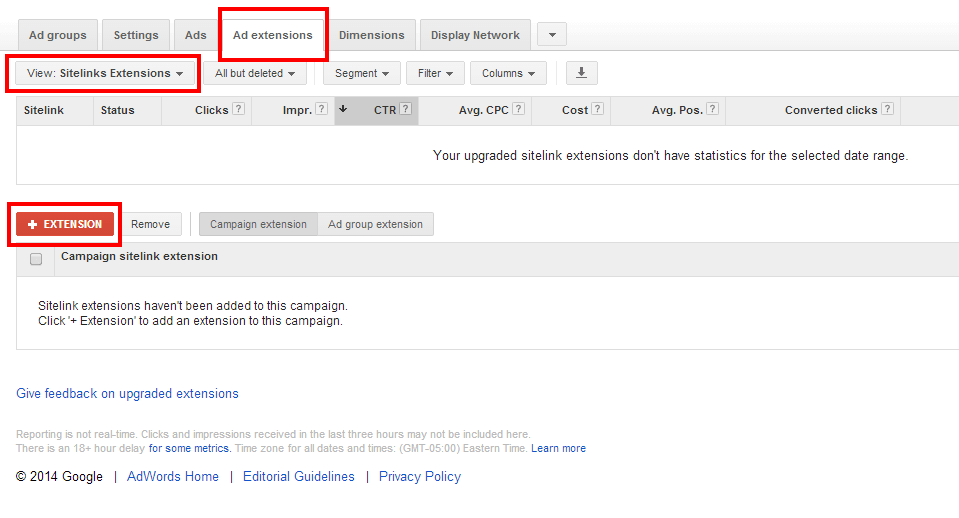
- Click on the tab called “Ad Extensions”
- In the Ad extensions tab click the drop down menu that says “View: Sitelinks”
- Click on the red button named “+Extension”
- Click on “+Sitelink”
- Enter the sitelink name with the URL. You can also add a sitelink description for greater value.
- Once you have finished click “Save”
You ads will now display with sitelinks and your quality score can increase because of this.